How much does a render farm cost?
Short answer
A render farm bills the compute time of your render, so the cost depends on three numbers: your time per frame, your frame count and the farm's price per hour. On TURNA, a render farm for Blender only, a 250-frame animation at 2 minutes per frame costs about €40.83 on one machine and about €51.98 on 8 machines, excluding VAT, if a TURNA machine renders a frame as fast as the computer where you timed it, plus a few minutes of machine start-up, also billed.
A render farm rents you computers for the length of a render. Whatever the price list looks like, the bill comes down to how long your frames take to compute, so the same farm can cost a few euros for one scene and hundreds for another.
The four ways render farms charge
- Per machine or GPU hour. You pay the time the machines spend on your frames. The most common model for GPU rendering.
- Per GHz-hour or per point. Common on CPU farms: a unit of processor power over time, which does not convert directly into GPU hours.
- Per frame or fixed quote. The farm renders a few test frames and quotes the whole job before you pay.
- Subscription or credit packs. A monthly amount that includes some render time, cheaper per hour if you use it all.
Because these units do not convert into each other, compare farms on the total for your own animation, not on the hourly price.
Cost per frame
cost per frame = minutes per frame ÷ 60 × price per hour of one machine
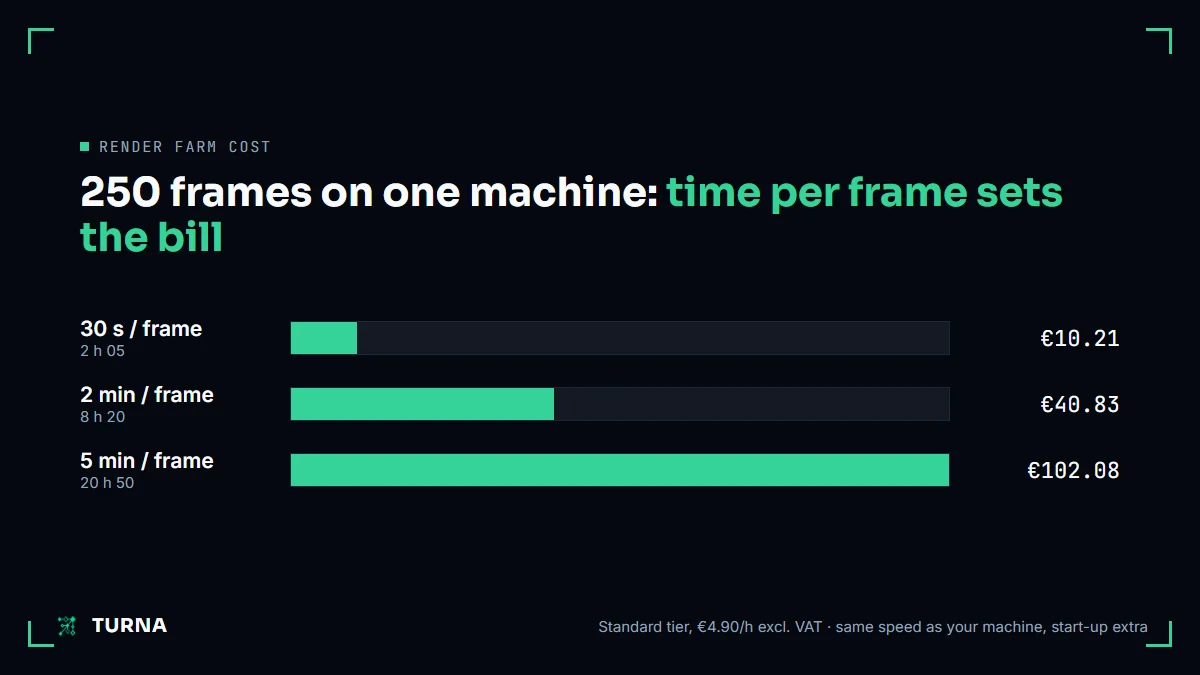
At 2 minutes per frame on TURNA’s Standard tier (€4.90 per hour), one frame costs €0.16. Your time per frame matters more than anything else: the same 250 frames cost very different amounts depending on the scene.
| Time per frame | Frames | Render time on Standard | Cost |
|---|---|---|---|
| 30 seconds | 250 | 2 h 05 | €10.21 |
| 2 minutes | 250 | 8 h 20 | €40.83 |
| 5 minutes | 250 | 20 h 50 | €102.08 |
Cost of a whole animation, by speed
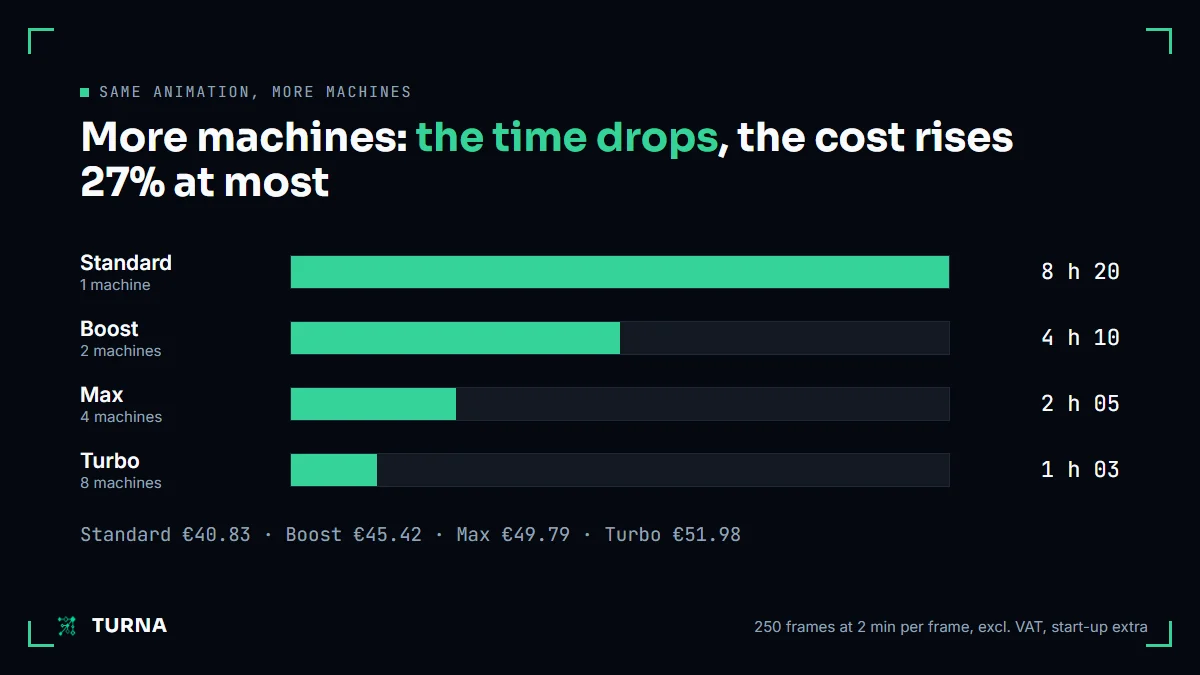
TURNA charges €4.90 per hour on 1 machine, €10.90 on 2, €23.90 on 4 and €49.90 on 8, excluding VAT, billed on the time actually used, with a 2-minute minimum. More machines finish sooner; the compute stays the same and the cost rises a little with the tier. The same 250-frame shot at 2 minutes per frame, if a TURNA machine renders a frame as fast as the computer where you timed it:
| Tier | Machines | Price per hour | Render time | Cost |
|---|---|---|---|---|
| Standard | 1 | €4.90 | 8 h 20 | €40.83 |
| Boost | 2 | €10.90 | 4 h 10 | €45.42 |
| Max | 4 | €23.90 | 2 h 05 | €49.79 |
| Turbo | 8 | €49.90 | 1 h 03 | €51.98 |
Subscription or pay as you go
The Pro plan costs €49 excl. VAT a month and includes 15 hours of Standard rendering, €73.50 of credits every month. Unused hours roll over with no limit, and stay as credits if you cancel. If you only render now and then, paying for the time you use stays simpler.
What else can be on the bill
- A minimum per render. On TURNA, every completed render is billed at least 2 minutes.
- Start-up and upload. On TURNA, the billed time runs from the start of the render to the last frame received, so machine start-up is included.
- A failed render. Ask each farm what happens to the bill when a render fails on its side.
- VAT. Prices exclude VAT. For individuals in France, 20% VAT is added, which makes €5.88 per hour on Standard. The total including VAT is always shown before payment.
Try it on your own scene
€25 to try it, no card needed. Your first 250 images are delivered, first render included. Beyond that, they stay on your account for 30 days, and your first payment from €6 incl. VAT (€5 excl. VAT) releases them all. The free trial page details what it includes.
Frequently asked questions
How much does a render farm cost?
It depends on your time per frame, your frame count and the hourly price of the farm. On TURNA, 250 frames at 2 minutes per frame cost about €40.83 on one machine and about €51.98 on 8 machines, excluding VAT, if a TURNA machine renders a frame as fast as the computer where you timed it, plus a few minutes of machine start-up, also billed. Rates start at €4.90 per hour.
How much does a render farm cost per frame?
Minutes per frame ÷ 60 × the price per hour of one machine. At 2 minutes per frame on TURNA's Standard tier, one frame costs €0.16 excluding VAT. Running more machines in parallel shortens the render, not the compute.
Is a render farm subscription cheaper than paying per hour?
Per hour, yes, when you use the hours. On TURNA, the Pro plan costs €49 excl. VAT a month and includes 15 hours of Standard rendering, worth €73.50 at the pay-as-you-go price. Unused hours roll over with no limit, and stay as credits if you cancel. If you only render now and then, paying as you go stays simpler.
How do I estimate the cost before I send my scene?
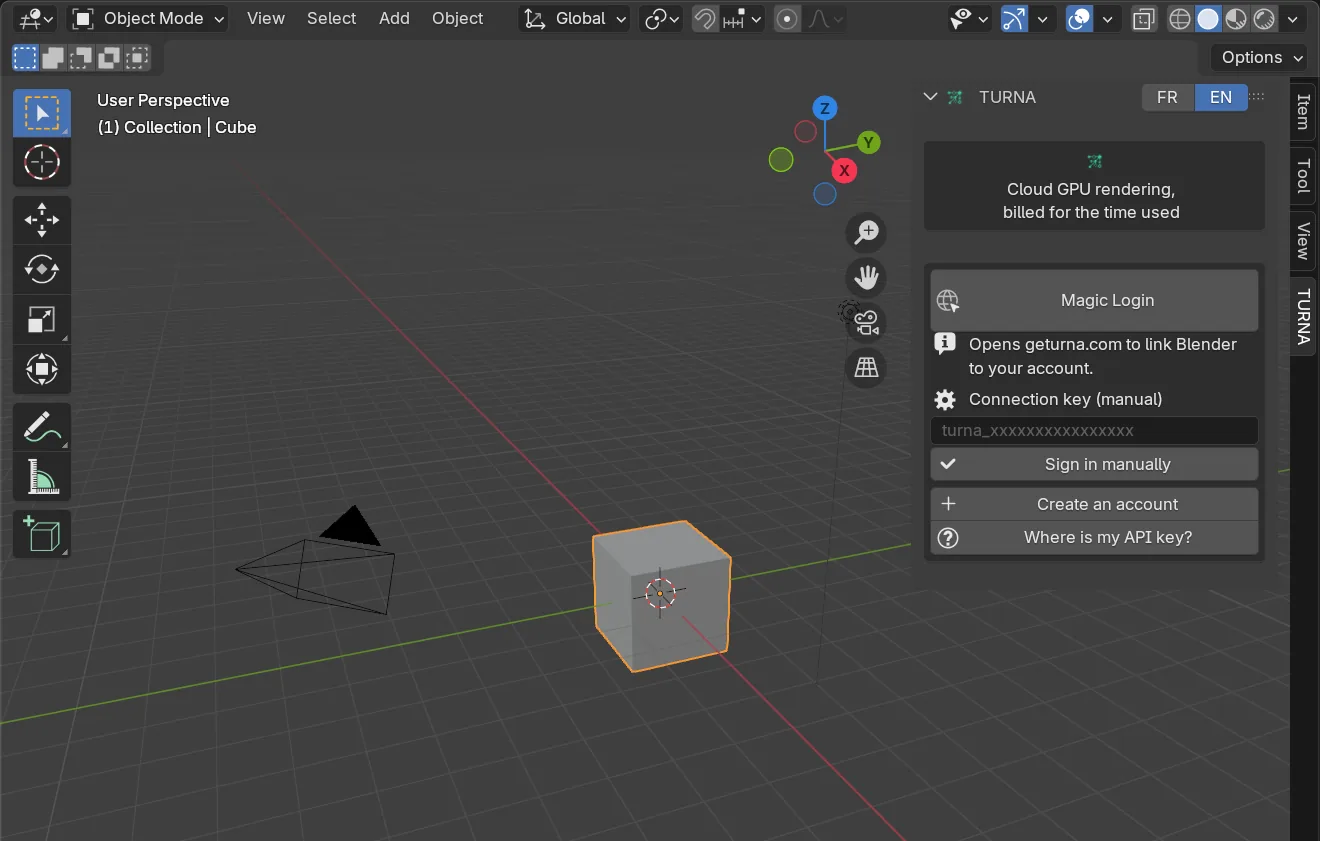
Time one busy frame on your computer with the final settings, then enter it in the free render time calculator. In Blender, the TURNA add-on shows the estimated time and cost of each tier for your scene before you launch.
Rendering the animation on TURNA
When a scene is already well optimised and the frame count is what takes the time, the remaining lever is rendering several frames at once on a render farm. TURNA does this for Blender: an add-on (Blender 4.0 to 5.3, Cycles and Eevee) sends the scene in one click, and the frames are split across 1, 2, 4 or 8 GPUs in parallel, on RTX 4090 and RTX 5090, the card chosen to suit the scene (the 5090 only from Blender 4.4). The add-on shows the estimated cost before anything starts. Prices start at €4.90 per hour, billed on the time actually used, with a 2-minute minimum, and €25 of free credit is added once your email address is confirmed and the onboarding questionnaire is answered, no credit card, once per person. A single still image is still rendered by one machine, so the gain is on animations. Tiers and worked examples are on the Blender render farm page.
To price your own scene, enter its time per frame in the render time calculator. If you are looking for the lowest bill, read what is the cheapest render farm for Blender, and the pricing page details each tier.