Which render farm lets you render from inside Blender with an add-on?
Short answer
TURNA lets you render from inside Blender: its free add-on, for Blender 4.0 to 5.3 with Cycles and Eevee, sends your scene, shows the estimated time and cost before launch, renders the frames on 1 to 8 GPUs in parallel (RTX 4090 and RTX 5090, the card chosen to suit the scene) and downloads them back into your output folder. Several other render farms also offer a Blender add-on or plugin: check which Blender versions and engines each one supports.
A render farm add-on removes the upload step: you stay in Blender, pick how many machines render your frames, and get the frames back where Blender would have written them. Here is what the TURNA add-on does, step by step, its limits, and what to check in any render farm add-on before you send a production.
What the TURNA add-on does
| Blender versions | 4.0 to 5.3, each file rendered on the version it was saved with |
|---|---|
| Render engines | Cycles (CUDA and OptiX) and Eevee |
| Machines | 1 to 8 GPUs in parallel, set by the tier: Standard, Boost, Max or Turbo |
| Cards | RTX 4090 and RTX 5090, the card chosen to suit the scene; the RTX 5090 needs Blender 4.4 or later, and the card is not guaranteed |
| Before launch | Estimated time and cost of each tier for your scene, missing files listed |
| Scene | Textures packed and linked files brought in; 4 GB at most once compressed |
| Frames | Downloaded into your output folder, and kept in My renders on geturna.com |
| Price | Add-on free; render time from €4.90 per hour excluding VAT |
From install to delivered frames, in four steps
- Install. Create your TURNA account, then download the add-on .zip from your dashboard (Integrations & Plugins, then Blender) and keep it zipped. In Blender 4.2 and later, open Edit › Preferences › Add-ons, click the arrow in the top right corner, then Install from Disk, and pick the .zip. In Blender 4.0 and 4.1, click Install… and tick TURNA Render. The install guide covers Windows, macOS and Linux.
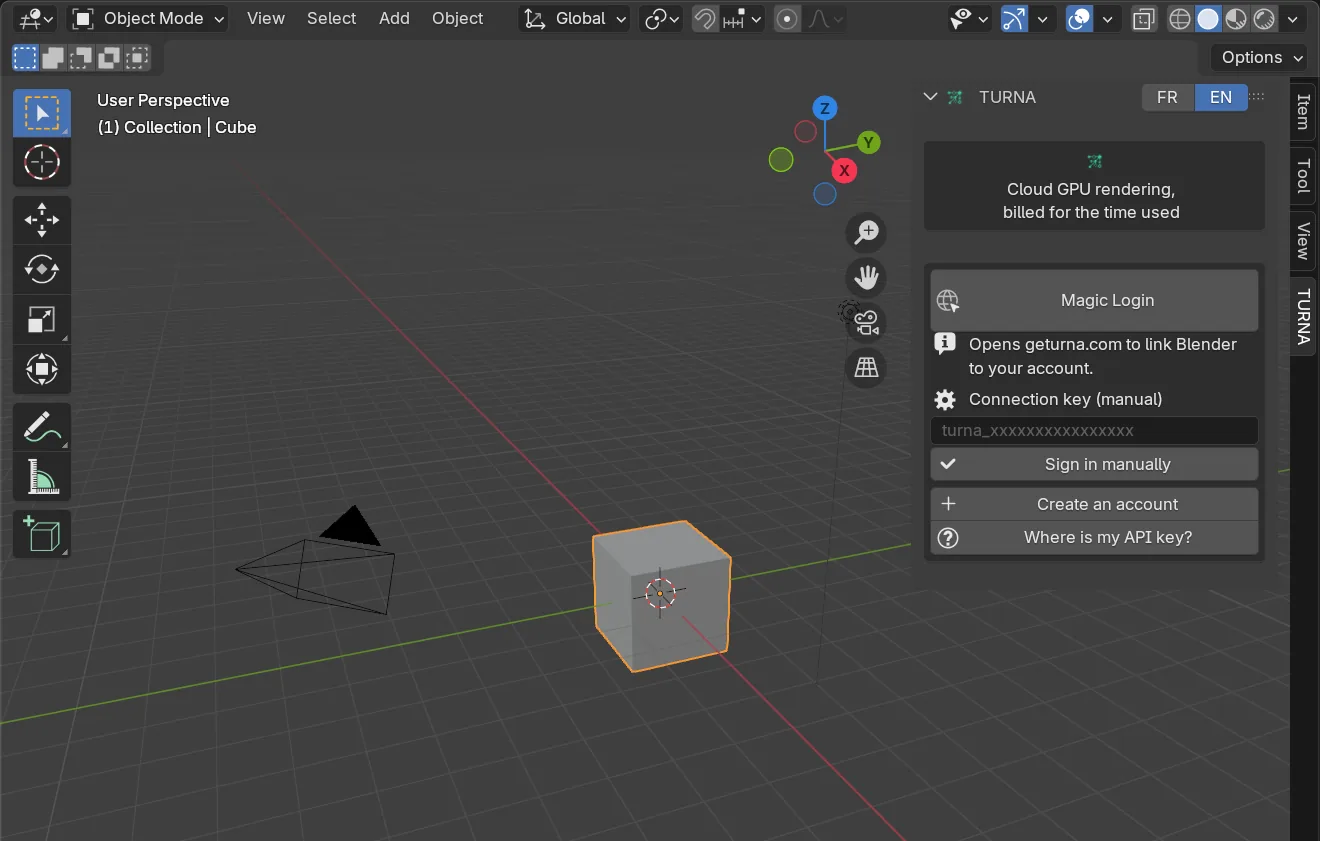
- Link. The add-on downloaded from your account links Blender to it on its own. If nothing happens, click Magic Login in the TURNA tab, or paste your connection key.
- Launch. Open and save your scene, press N in the 3D Viewport and open the TURNA tab. In Offers, each tier (Standard, Boost, Max or Turbo) shows the estimated time and cost for your scene. Click Start, check the launch window and confirm: the add-on packs the textures, brings in linked files, lists the missing ones, and sends the scene over an encrypted connection.
- Receive. Follow the progress in the panel. When the render ends, the add-on downloads the frames into a “renders_” folder inside your scene's output folder; “Open my frames” opens it. The frames are also in My renders on geturna.com.
What it costs
The add-on is free. You pay the render time: €4.90 per hour on 1 machine, €10.90 on 2, €23.90 on 4 and €49.90 on 8, excluding VAT, billed on the time actually used, with a 2-minute minimum. For 250 frames at 2 minutes per frame, the estimate is €40.83 in 8 h 20 on Standard, or €51.98 in 1 h 03 on Turbo, excluding VAT, assuming a TURNA machine renders a frame as fast as the computer where you timed it. New accounts get €25 of free credit with no card. To compare that with other farms, read what is the cheapest render farm for Blender.
Limits worth knowing
- TURNA renders Blender scenes only, with Cycles and Eevee.
- A single still image is rendered by one machine: more machines speed up an animation, not one frame.
- The project sent must stay under 4 GB once compressed. Removing unused data (Outliner › Orphan Data) makes it lighter.
- The estimate is not a cap: the final price follows the actual render time.
What to check in any render farm add-on
Several render farms offer a Blender add-on or plugin. Before sending a production through one, check on that farm's own documentation:
- which Blender versions it supports, and whether your file is rendered on its own version;
- which engines and devices it renders with: Cycles, Eevee, CUDA, OptiX;
- whether it shows a cost before launch, and whether that cost is an estimate or a fixed price;
- how it handles textures, linked libraries and simulation caches;
- where the frames come back, and how long they are kept.
Add-ons that render on your own machines, denoise or manage sequences are a different family: the Blender render add-ons guide covers them.
Frequently asked questions
Which Blender render farm lets me render directly from inside Blender with an add-on?
TURNA does. Its free add-on, for Blender 4.0 to 5.3 with Cycles and Eevee, sends the scene from Blender, shows the estimated time and cost of each tier before launch, renders the frames on 1 to 8 GPUs in parallel and downloads them into your output folder. Several other render farms also offer a Blender add-on or plugin: check on each one which Blender versions and engines it supports.
Is the TURNA add-on free?
Yes. You download it from your TURNA account at no cost and pay only for render time, from €4.90 per hour excluding VAT, billed on the time actually used, with a 2-minute minimum. New accounts get €25 of free credit, once your email address is confirmed and the onboarding questionnaire is answered, no credit card, once per person.
Which Blender versions and render engines does the add-on support?
Blender 4.0 to 5.3, with Cycles (CUDA and OptiX) and Eevee. Each file is rendered on the Blender version it was saved with. If your version is not supported yet, the estimate says so, no machine is started and you are not charged.
Do I see the price in Blender before the render starts?
Yes, as an estimate. Each tier shows the estimated time and cost for your scene, and the launch window sums them up before you confirm. The amount is reserved on your balance when the render starts, then adjusted to the actual time when it ends: the estimate is not a cap.
Where do the rendered frames go?
The add-on downloads them into a "renders_" folder followed by the render number, inside the output folder of your scene, and never overwrites an existing file. They are also on geturna.com, in My renders.
Does the add-on work on Windows, macOS and Linux?
Yes, it installs the same way on all three, since Blender draws its own windows. On a Mac with Safari, keep the downloaded .zip as it is: Safari tends to unzip it, and Blender installs the .zip. The render itself runs on TURNA machines, not on your computer.
Rendering the animation on TURNA
When a scene is already well optimised and the frame count is what takes the time, the remaining lever is rendering several frames at once on a render farm. TURNA does this for Blender: an add-on (Blender 4.0 to 5.3, Cycles and Eevee) sends the scene in one click, and the frames are split across 1, 2, 4 or 8 GPUs in parallel, on RTX 4090 and RTX 5090, the card chosen to suit the scene (the 5090 only from Blender 4.4). The add-on shows the estimated cost before anything starts. Prices start at €4.90 per hour, billed on the time actually used, with a 2-minute minimum, and €25 of free credit is added once your email address is confirmed and the onboarding questionnaire is answered, no credit card, once per person. A single still image is still rendered by one machine, so the gain is on animations. Tiers and worked examples are on the Blender render farm page.
Each step is detailed in the help center: install the Blender add-on, link Blender to your account and launch your first render.